Team Personnel Registering to a Team
Team personnel (Staff) need to register for a team they aren't playing on if they will be on the bench.
(Any person not playing but on the bench need to be registered as Team Personnel (Staff). They must be at least 15 years and have photo ID present.)
Before you begin, you need the invitation link or Team Code (from your Team Contact/Tournament Organizer).
Once you have the link or code please continue following the steps.
1. Go to the SAS Registration portal: https://www.rampregistrations.com/login?v3=31526c9470
2. Create an Account / Login to your Account
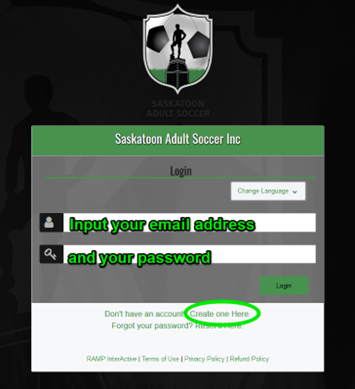
Please create an account unless you have already played in the league or entered a team since Outdoor 2020.
If you have played or entered a team you will already have a profile.
Follow the prompts regarding your password.
We do not have this information for privacy matters. If you forgot your password, please click on “Reset it Here” or “Forgot your password?”.
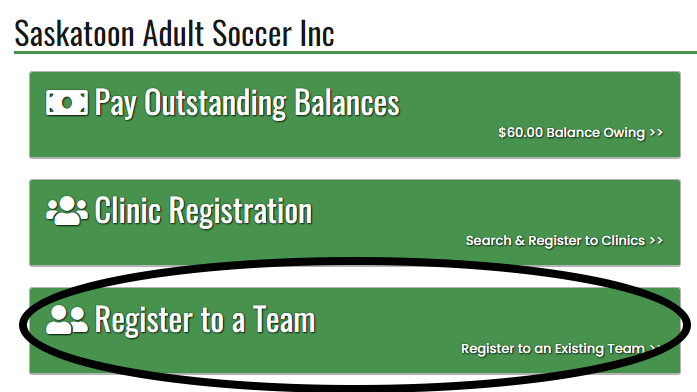
3. Click on REGISTER TO A TEAM.
4. Please enter the team code and click Find Team.

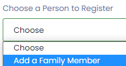
5. Click the drop-down arrow to select your profile or create a personal profile by clicking "Add a Family Member".
6. Fill in your personal information.
The Respect in Sport ID and NCCP # are not required but you can add them if you have them.
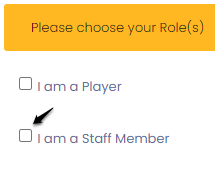
7. Click your Role: Staff
The Individual Player Registration package will automatically come up and be selected as it is required to play in the league:
Click Continue.
8. Please review the waivers and sign each.
9. Please answer the questions as they apply to you.
Click Continue.
10. Select Payment type.
Payment can be made by credit card in RAMP, cash at tournament HQ or by e-transfer to info@saskatoonadultsoccer.com. If sending e-transfer please include the player's name and team name for the tournament. (Ex: Cristiano Ronaldo, Portugal)
11. Click Submit Registration.