Steps for Players Registering on Multiple Teams
Please remember what email account you used to create your profile. If you forget your password, click on Forgot My Password.
If you have a new email address, you will need to create an new profile. Your account is based on your email address.
Before you begin, you need the invitation link or Team Code (from your Team Contact/Tournament Organizer).
Once you have the link or code please continue following the steps.
1. Go to the SAS Registration portal: https://www.rampregistrations.com/login?v3=31526c9470
2. Login to your Account
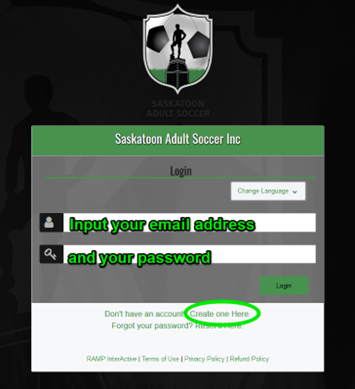
We do not have this information for privacy matters. If you forgot your password, please click on “Reset it Here” or “Forgot your password?”.
3. Click on REGISTER TO A TEAM.
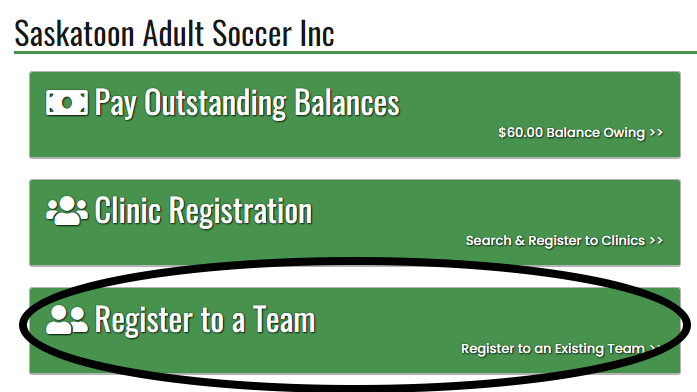
4. Please enter the team code and click Find Team.

5. Click the drop-down arrow to select your profile.
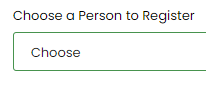
6. Your personal information.
Your personal information is stored in your profile. You don't have to enter it all again. Update as necessary.
The Respect in Sport ID and NCCP # are not required but you can add them if you have them.
7. Click your Role: Player or Staff
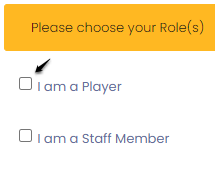
Scroll down.
The Individual Player Registration package will automatically come up and be selected as it's required and already paid/completed.
When registering to a second team, please click the 2nd Additional Team box ONLY.
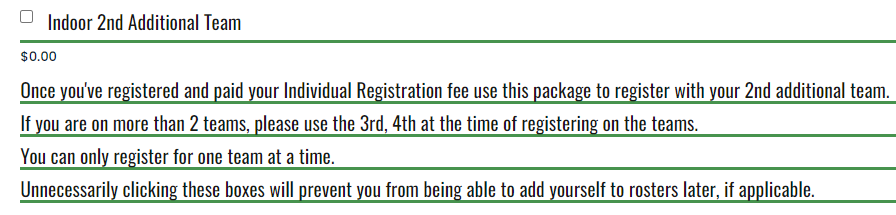
If you register for a 3rd team, you click the 3rd team box. And 4th box for the 4th team.
8. Please review the waivers and sign each.
9. Please answer the questions as they apply to you.
Click Continue.
10. The Payment Type
If you've already registered this season under the same email address, you will not have an outstanding balance.
If there is an outstanding balance, you either haven't registered/paid yet, or you used a different email address last time.
Please use the same email address when you register each time, every season. Your email address is your distinct account information, and RAMP cannot know you are the same person.
Your email address, essentially, is your account number.
11. Click Submit Registration.
12. Verify your Registration form is complete in 3 different ways:
i) You will receive an email confirming your registration is complete. Check your junk mail.
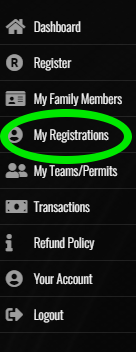
ii) Check your RAMP account Dashboard, and clicking on My Registrations.
iii) You will also be listed on your team's roster within an hour of registering.